







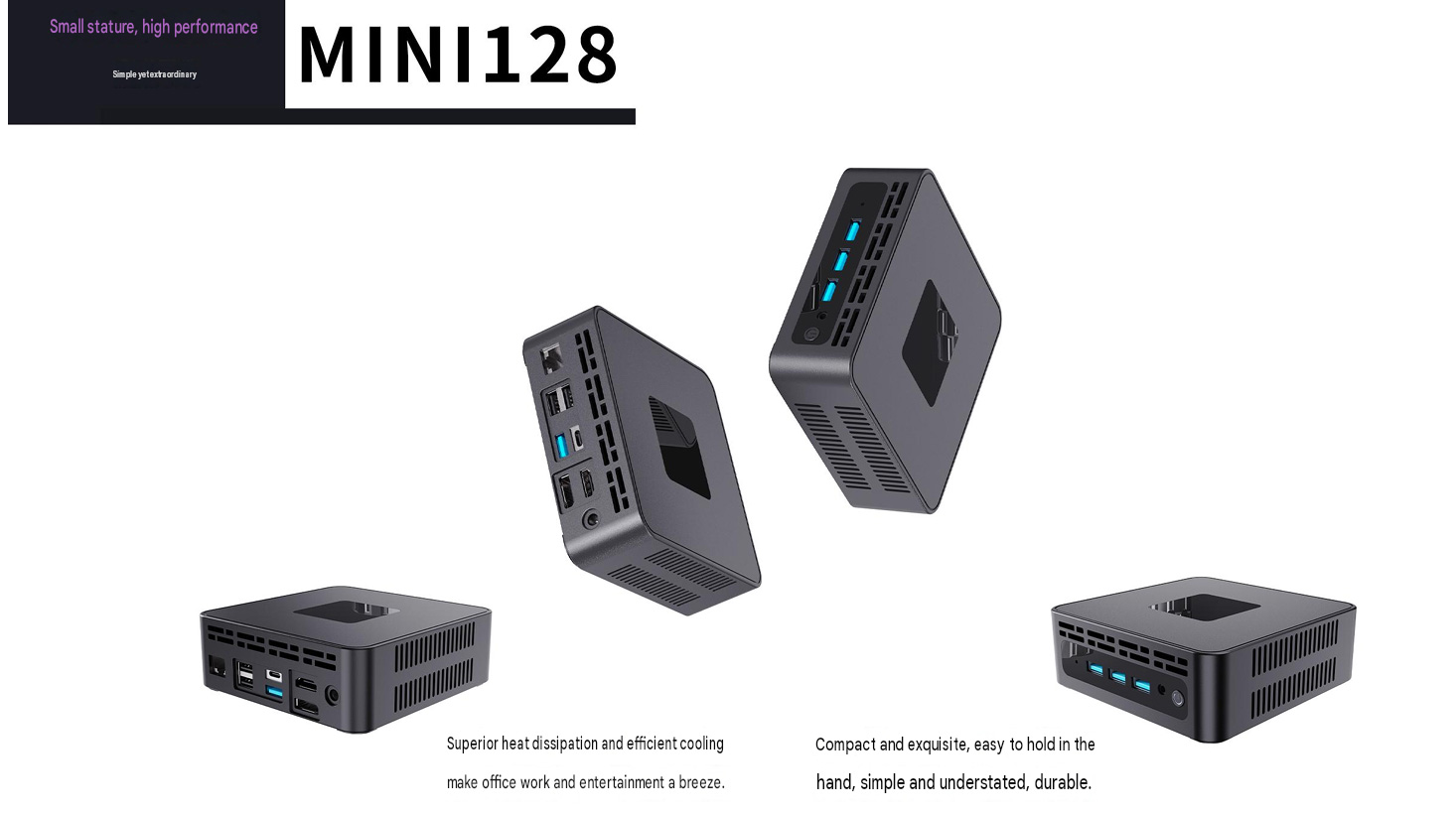
MINI128 Compact Mini PC for Business Applications
In modern workplaces, computing equipment needs to do more than deliver reliable performance. It also needs to fit into limited spaces, support different peripherals and remain easy to deploy across multiple workstations. The MINI128 is a compact mini PC designed for businesses that need a practical, space-saving computing solution without the footprint of a traditional desktop tower.
With its small form factor, multiple connectivity options, efficient ventilation design and optional VESA mounting support, the MINI128 can be used in offices, commercial environments, education, digital signage and other professional applications.
A Small Form Factor for More Flexible Workspaces
Office desks are becoming increasingly compact. Large desktop computers can take up valuable working space, create cable clutter and make workstation organization more difficult. The MINI128 addresses these challenges with a compact chassis that can be placed directly on a desk, positioned beside a monitor or mounted behind a compatible display.
Its small size makes it suitable for:
Office workstations.
Reception desks and service counters.
Meeting rooms and conference spaces.
Classrooms and training centers.
Retail counters and point-of-information systems.
Digital signage installations.
Industrial or commercial control stations.
For businesses managing multiple workstations, a compact design can also make transportation, installation and equipment replacement more convenient.
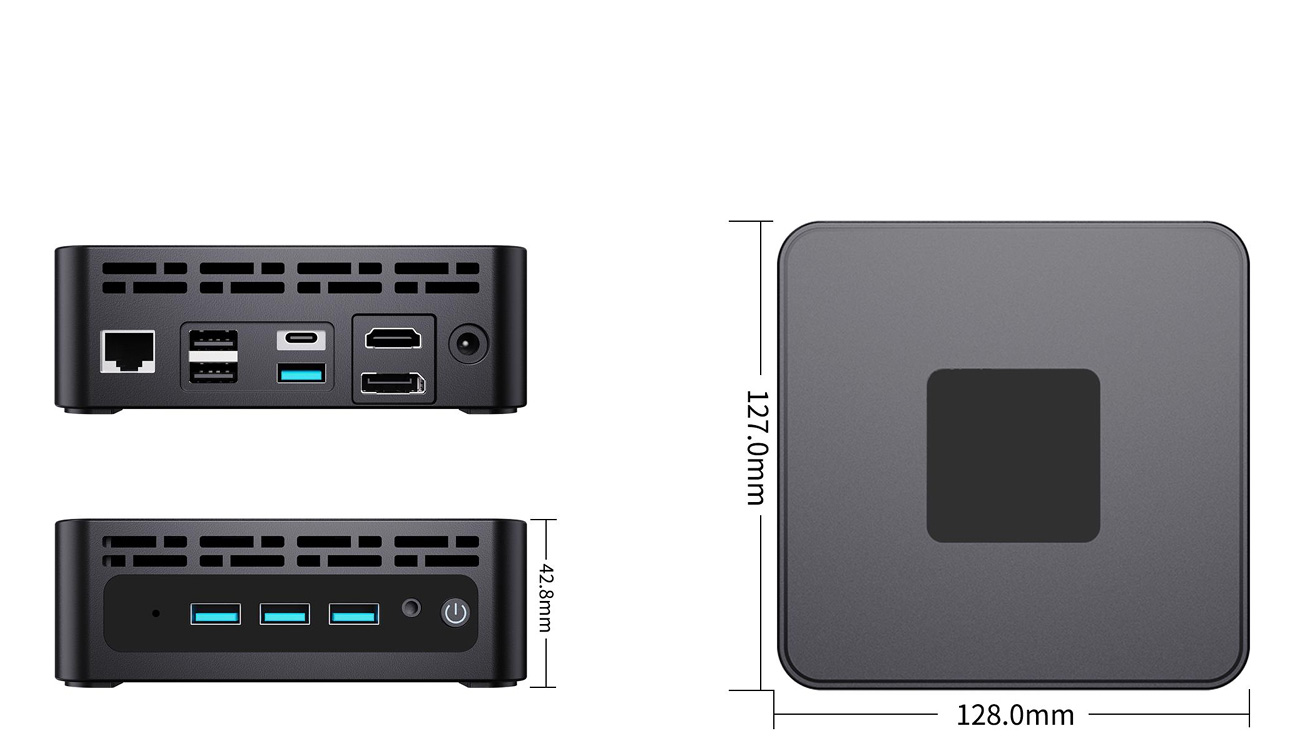
Multiple Ports for Everyday Business Use
A business computer often needs to connect to more than just a keyboard and mouse. Employees may use external storage, printers, wired networks, displays, headsets and other USB accessories throughout the day.
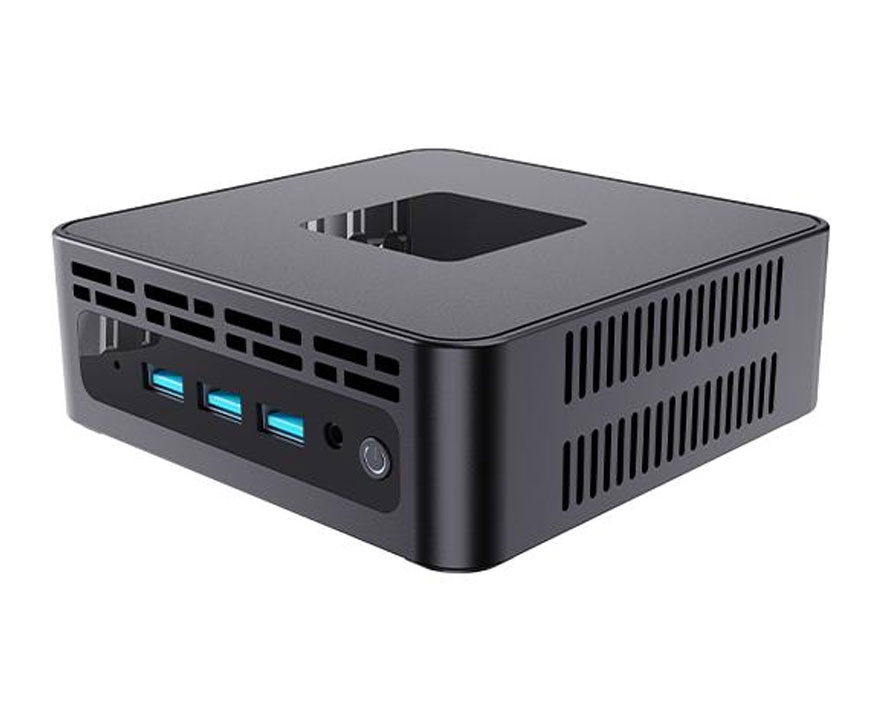
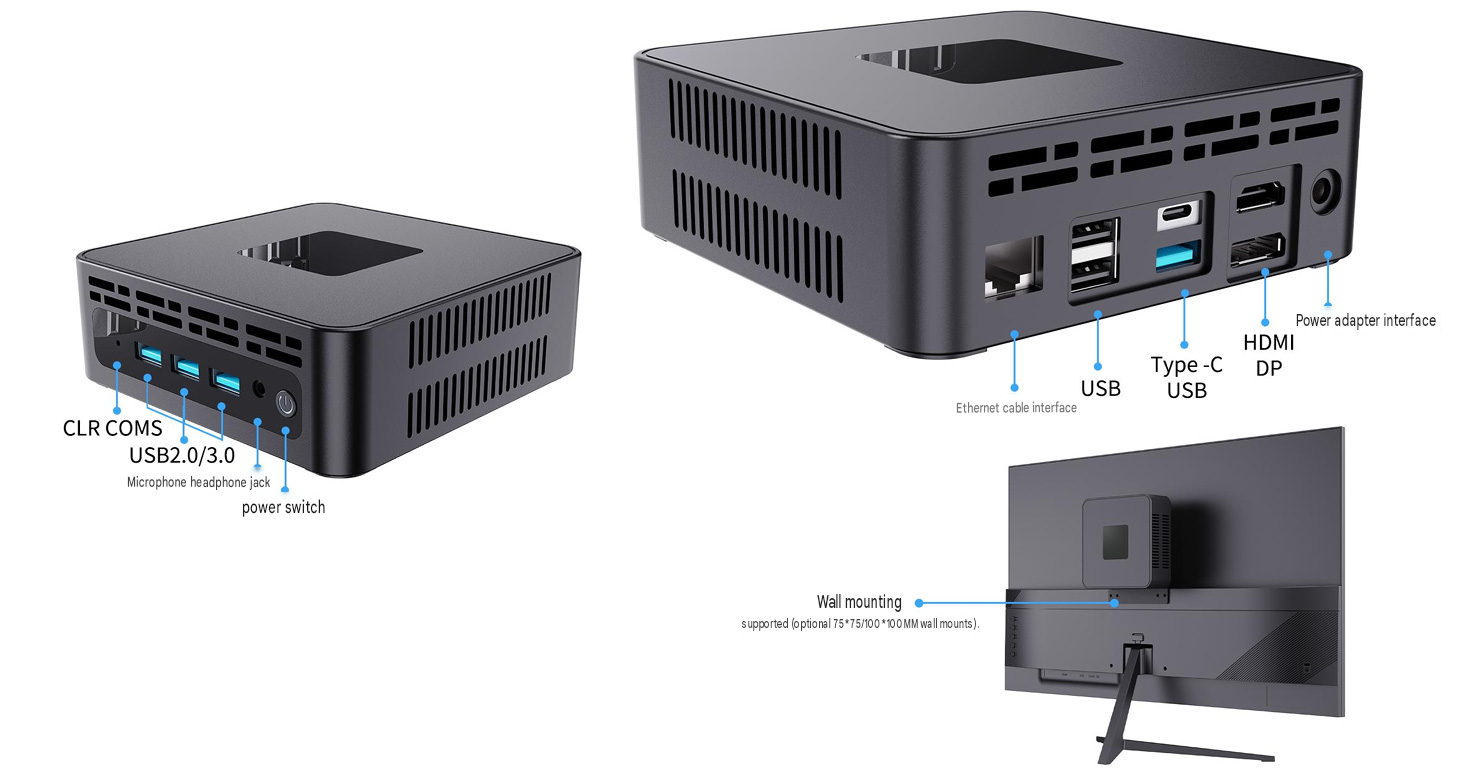
The MINI128 shown in the product images includes a practical selection of front and rear interfaces, including:
USB 2.0 and USB 3.0 ports.
Type-C USB connectivity.
HDMI and DisplayPort outputs.
Gigabit Ethernet port.
3.5 mm audio interface.
Clear CMOS interface.
Power button.
DC power input.
The front-panel ports are convenient for devices that need to be connected frequently, such as USB drives, mobile accessories and headphones. The rear-panel interfaces help keep permanent connections—such as network cables, monitors and office peripherals—organized behind the workstation.
This interface layout gives system integrators and business users greater flexibility when configuring the MINI128 for different environments.
Designed for Efficient Heat Dissipation
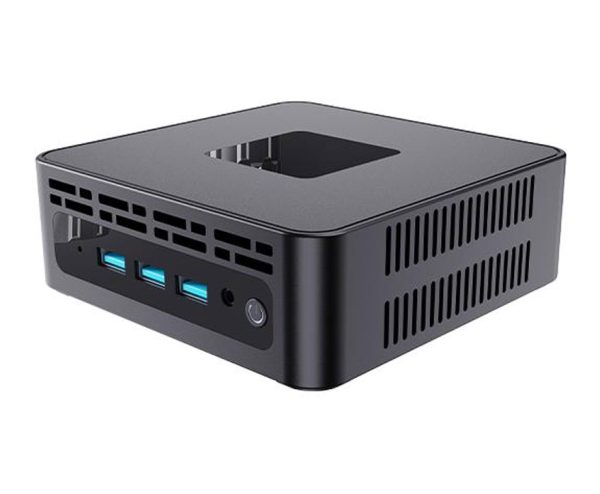
Compact computers need an effective internal airflow design because there is less space for heat to circulate. The MINI128 uses ventilation openings across the chassis to support airflow and help maintain stable operation during daily use.
The product positioning emphasizes efficient cooling and temperature reduction for office and entertainment scenarios. For B2B buyers, this design is especially relevant when the computer is installed in a confined area, mounted behind a monitor or used for extended periods.
A well-ventilated chassis can help support:
Stable operation during long working hours.
Better suitability for compact installations.
Improved airflow around internal components.
Reduced need for additional desk space.
Easier integration into commercial equipment layouts.
Actual thermal performance depends on the selected hardware configuration, ambient temperature, workload and installation method. Business customers can request detailed test results and configuration information before placing a bulk order.
Optional VESA Mounting Support
The MINI128 supports optional mounting with 75 × 75 mm and 100 × 100 mm VESA mounting patterns, according to the product image. This allows the computer to be installed behind a compatible monitor or display rather than occupying space on the desktop.
VESA mounting can be useful for:
Clean office workstation setups.
Reception and front-desk systems.
Digital signage displays.
Classroom computer installations.
Meeting-room displays.
Retail and hospitality applications.
Mounting the mini PC behind a monitor can create a more organized workspace and reduce the risk of accidental cable disconnection. It may also make it easier for businesses to standardize workstation layouts across different locations.
Before installation, buyers should confirm the monitor’s VESA pattern, weight capacity, mounting clearance and cable routing requirements.
Suitable for Different B2B Projects
The MINI128 is not limited to a single type of customer. Its compact design and flexible port selection make it suitable for OEM, ODM, system integration and bulk purchasing projects.
Office and Administrative Work
For general office environments, the MINI128 can be configured as a compact desktop computer for document work, web-based applications, communication tools and business software. It can be installed on a desk or mounted behind a monitor to create a cleaner workspace.
Digital Signage
Businesses can use compact computers to power displays in retail stores, hotels, restaurants, schools and public facilities. The MINI128’s HDMI and DisplayPort outputs provide flexibility for connecting compatible displays. The appropriate configuration should be selected based on the required resolution, software platform and playback workload.
Education and Training
Schools and training centers often need to deploy a large number of computers within limited spaces. A compact mini PC can simplify classroom installation and reduce the amount of equipment placed on each desk.
Commercial and Retail Environments
The MINI128 can be integrated into information terminals, reception systems, self-service areas and retail display solutions. Its small chassis is helpful in locations where a full-size desktop computer would be difficult to install.
Meeting Rooms and Conference Spaces
Mounted behind a display, a mini PC can support presentation systems, online meetings, digital collaboration platforms and conference-room management software. The final application depends on the selected processor, memory, storage and operating system.
A Practical Choice for Bulk Buyers
For B2B customers, purchasing a mini PC is about more than the appearance of the product. Important factors include configuration flexibility, supply stability, quality control, after-sales service and the ability to support project requirements.
When evaluating the MINI128 for a business project, buyers may wish to confirm:
Available processor options.
Supported memory and storage configurations.
Operating system choices.
Display output specifications.
Wireless connectivity options.
Power adapter specifications.
Logo and packaging customization.
Minimum order quantity.
Sample availability.
Lead time and production capacity.
Warranty and technical support.
VESA bracket availability.
Providing these details clearly on the product page can help distributors, resellers and system integrators make purchasing decisions more efficiently.
Why Choose a Compact Mini PC?
Compared with a conventional desktop tower, a mini PC can provide several practical advantages for commercial deployment:
It takes up less desk and installation space.
It is easier to integrate behind monitors and displays.
It can reduce visible cable clutter.
It is convenient for multi-device deployment.
It offers flexible placement in offices and commercial spaces.
It can simplify workstation standardization.
However, the right computer depends on the project. Buyers should match the hardware configuration to the intended workload rather than selecting a model based only on size or appearance.
Conclusion
The MINI128 is a compact business mini PC designed for organizations that value efficient space usage, flexible connectivity and convenient installation. With USB, Type-C, HDMI, DisplayPort, Ethernet and audio interfaces, it can support a wide range of office and commercial setups. Its ventilation design and optional VESA mounting support also make it suitable for organized workstations, displays and space-constrained installations.
For bulk orders, OEM projects or system integration requirements, contact our team to discuss available configurations, samples, customization options and deployment needs.
Request a quotation for the MINI128 today and find a compact computing solution for your next business project.


Reviews
There are no reviews yet.